5 HR · 7 DAY · CLAUDE + CODEX
Stop guessing how much quota is left.
Tokenman reads your Claude and ChatGPT (Codex) usage into one screen, so you know how close you are to the 5-hour and 7-day limits before you hit them.
iOS 18 or later · Free with one account
No signup · Credentials stay in the iOS Keychain
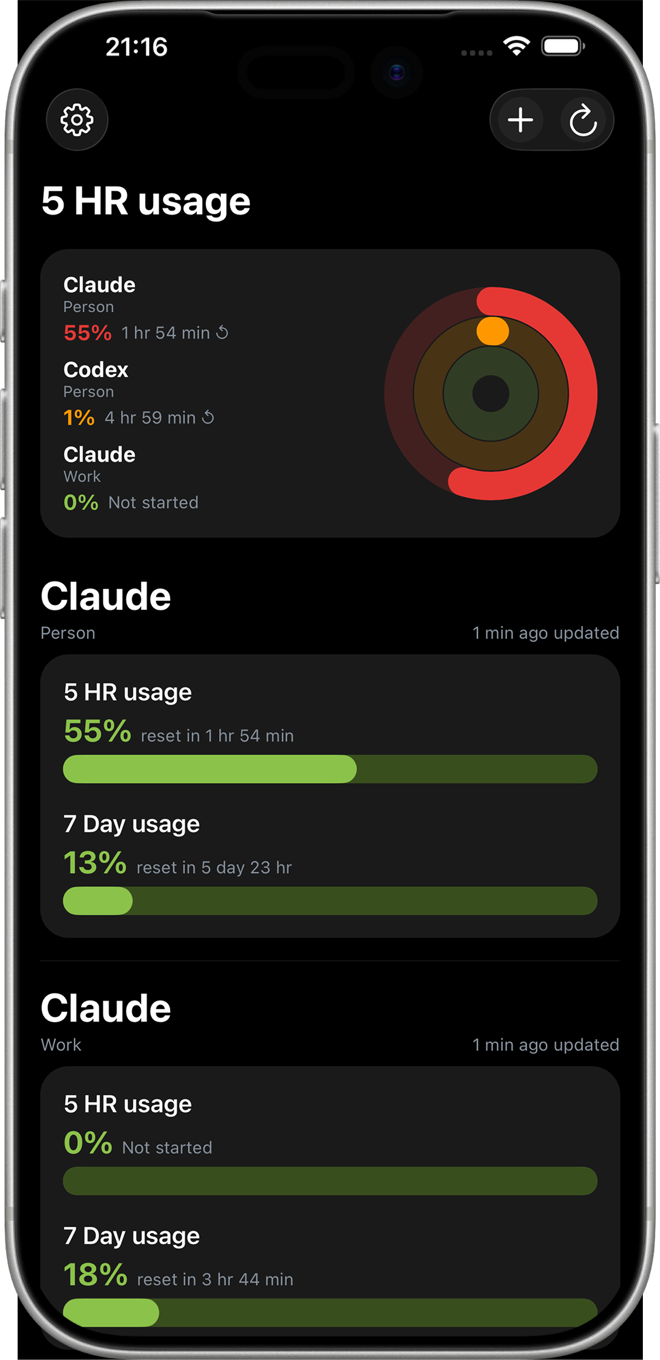
Every account, one screen
The card at the top ranks your accounts by who is burning through quota fastest. Below it, each account carries its own 5-hour and 7-day bars, the time until reset, and when it last refreshed.
Multi-account, multi-provider
Personal, work, and the client's seat.
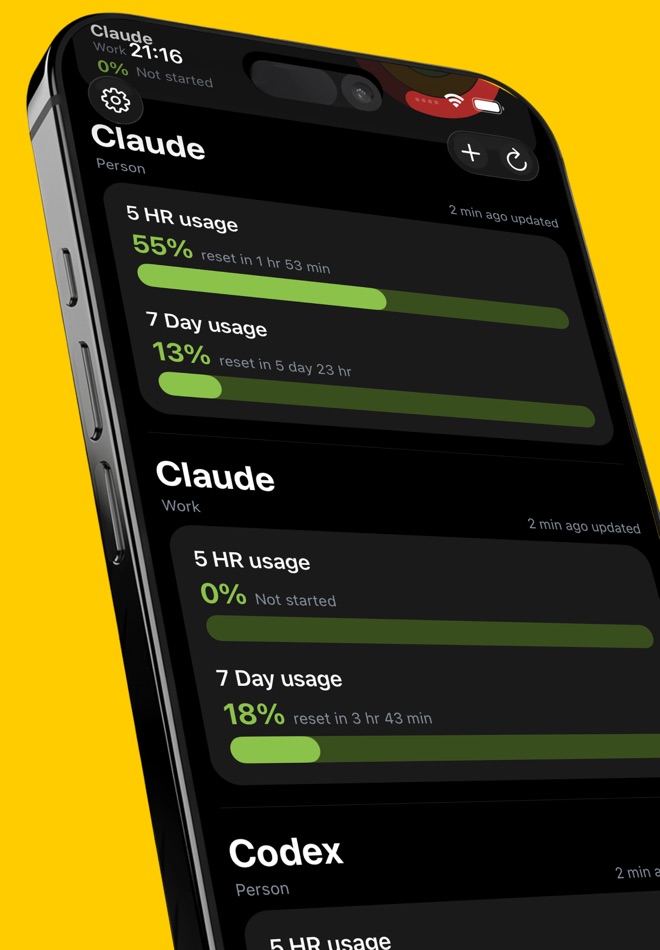
Track as many Claude and Codex accounts as you actually use. Each one keeps its own rings, its own alerts, and its own last-updated time — no merged totals to untangle.
The five-hour window
Your quota starts at your first word.
Not at the start of your work. That one detail decides whether you get an afternoon or you get nothing — and it is the only part of the limit you actually control.
3hours dark
The window runs 09:00–14:00. Two hours of quota, gone by 11:00 — then nothing until the 14:00 reset, through the afternoon you needed it most.
0minutes dark
The alarm rings at 06:00. One tap says good morning. The window resets at 11:00, exactly as the first one empties — two windows, end to end.
| Start 09:00 | Start 06:00 | |
|---|---|---|
| First word | 09:00 | 06:00 |
| Quota window | 09:00–14:00 | 06:00–11:00 |
| Quota gone | 11:00 | 11:00 |
| Next reset | 14:00 | 11:00 |
| Time dark | 3 hours | 0 minutes |
| Afternoon | Idle | Full |
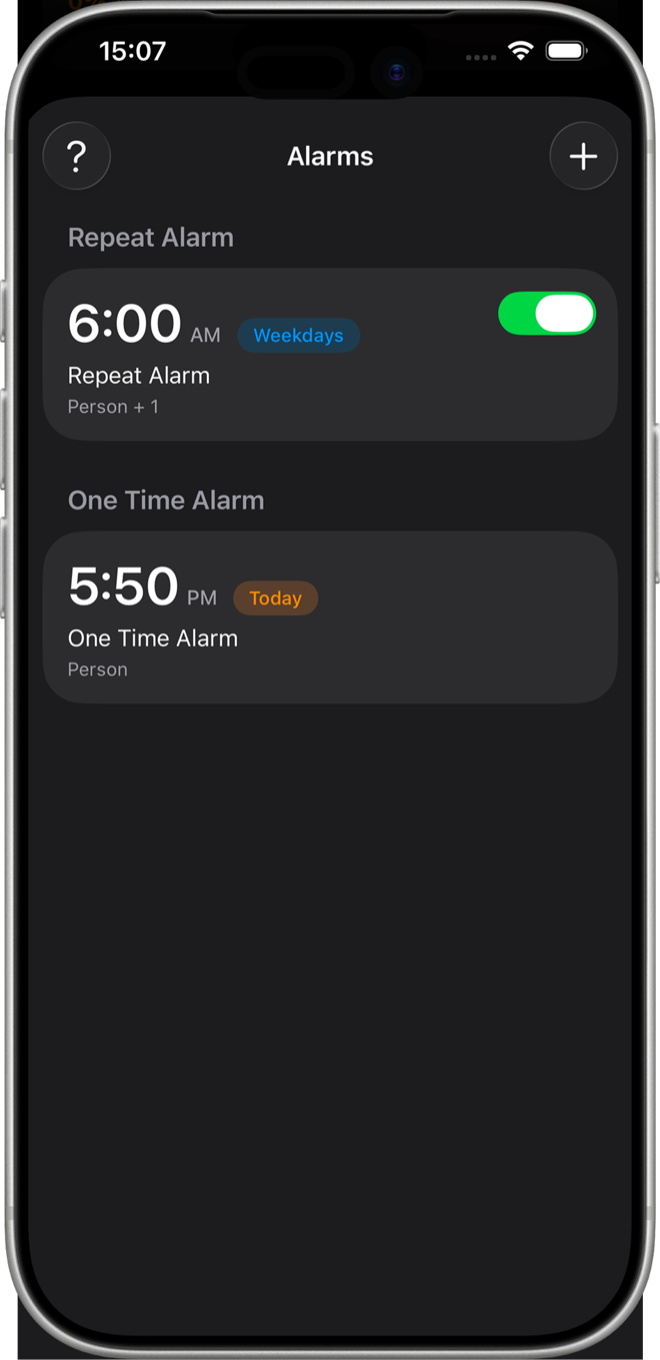
Wake Claude Alarm
Set it once — a one-time alarm, or a repeat on the days you work. When it rings, tap Wake Claude and your session opens right there. Pick the time, the days, the sound, and which accounts to wake.
Alarms need iOS 26 or later
Home screen
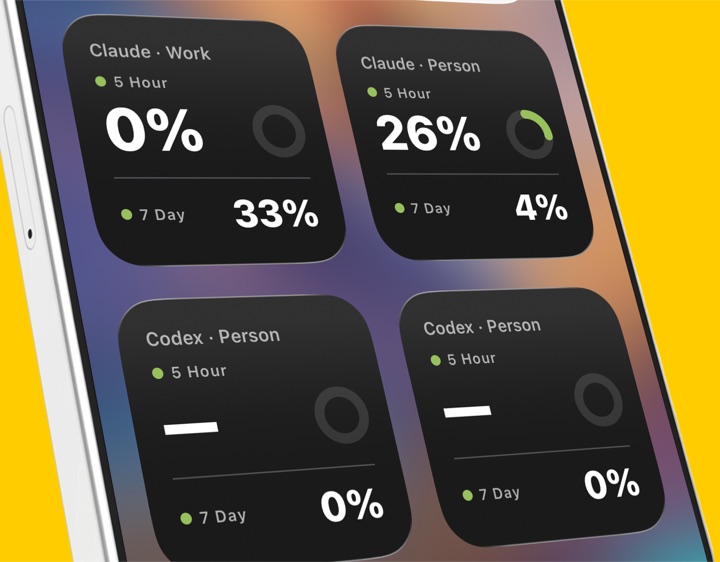
The number, without opening the app.
Put the small widget on your home screen and point it at any account. It carries the same 5-hour and 7-day figures as the dashboard.
Running quietly
It watches so you don't.
- Alerts
- A notification at 70% and again at 90%. Optional, per account — so nothing cuts out mid-conversation because you weren't watching.
- Refresh
- Every 15 minutes, or every 5 on Pro. Runs while the app is closed, so you come back to the current number.
- Languages
- Ten, including 繁體中文 and 日本語. English, 繁體中文, 简体中文, Deutsch, Español, Français, Italiano, 日本語, 한국어, Português.
Free and Pro
Free for one account.
Pro lifts the limits and adds the widget. Monthly or yearly.
| Free | Pro | |
|---|---|---|
| Provider accounts | 1 | Unlimited |
| Wake-up alarms | 1 | Unlimited |
| Auto-refresh | 15 min | 5 min |
| Home-screen widget | — | Yes |
| Ads | Banner | None |
Privacy
Your usage data stays yours.
- No account
- Nothing to sign up for. Tokenman has no server of its own.
- No analytics
- Your usage figures are never collected. They are read for the dashboard and nothing else.
- Keychain
- Credentials live in the iOS Keychain. Never in a file, never in a log.
- Delete
- Removing the app removes everything. No residue, no request to make.
Know before you hit the limit.
Free with one account. Pro when you need more.